

Beginning June 23, we are updating Product Listing Pages (PLP), Product Description Pages (PDP), and Product Filtering in the B2B Portal to improve your ordering experience.
Last Updated: May 20, 2026
What’s Changing & Key Updates
- How product filters are accessed and applied.
- How product sizes are grouped within filters.
- How applied filters are displayed on the page.
- How filters behave when navigating across the B2B Portal.
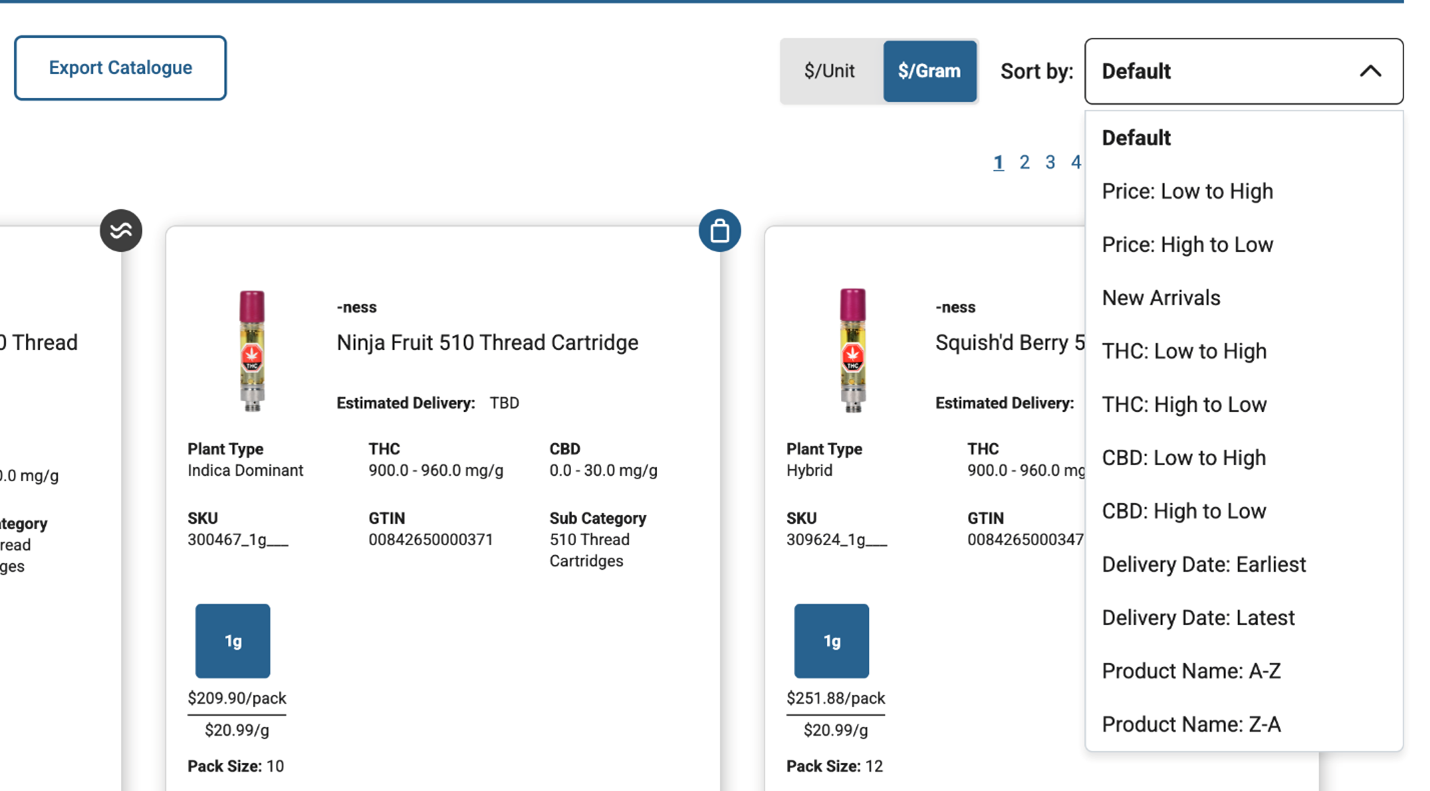
- Visual updates to product sorting.
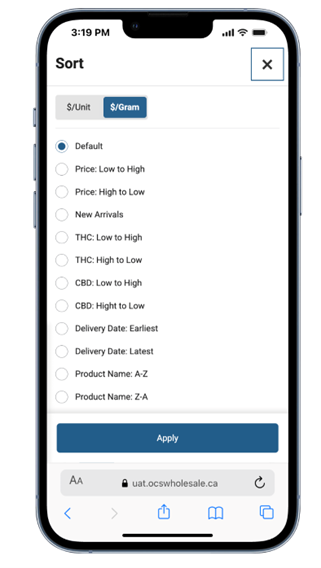
- Improvements to the mobile experience when using filters.
Note: Ordering steps and cart functionality are not changing as part of these updates.
Filter Redesign
Filters will now be accessed using a single filter button. Selecting the filter button will open a panel on the left side of the page that contains all filter options in one location.
Filter options include:
- Show Out of Stock
- Previously Ordered
- Subcategory
- Fulfilment Method
- Size
- Price per Unit
- Plant Type
- THC
- CBD
- Brand
- Licensed Producer
- Product Badges
- Terpenes

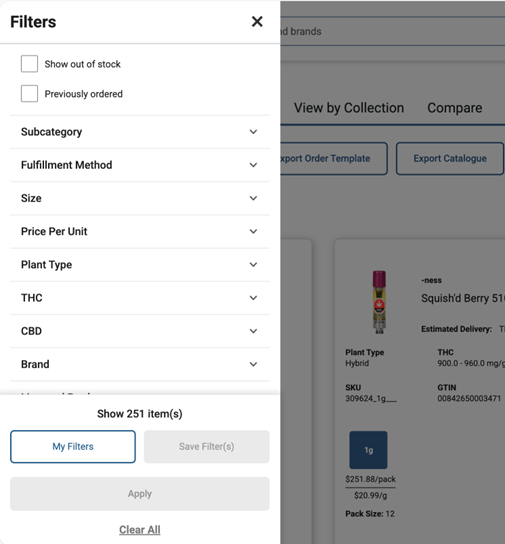
Save & Manage your Filters
Retailers can continue to save and access filters as they do today. However, saved filters may need to be reviewed and re-saved using the new filter tool after launch.
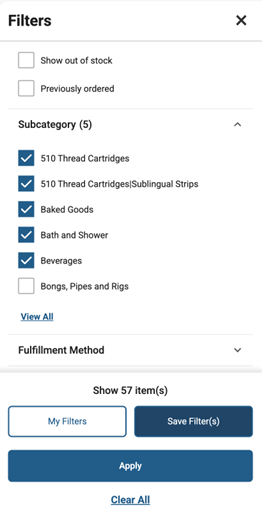
Search within Filter Categories
Retailers can expand filter categories and search within certain filter lists.
Search functionality is currently available for:
- Size
- Brand
- Terpenes
- Licensed Producer
This helps locate specific filter values when large lists are present.
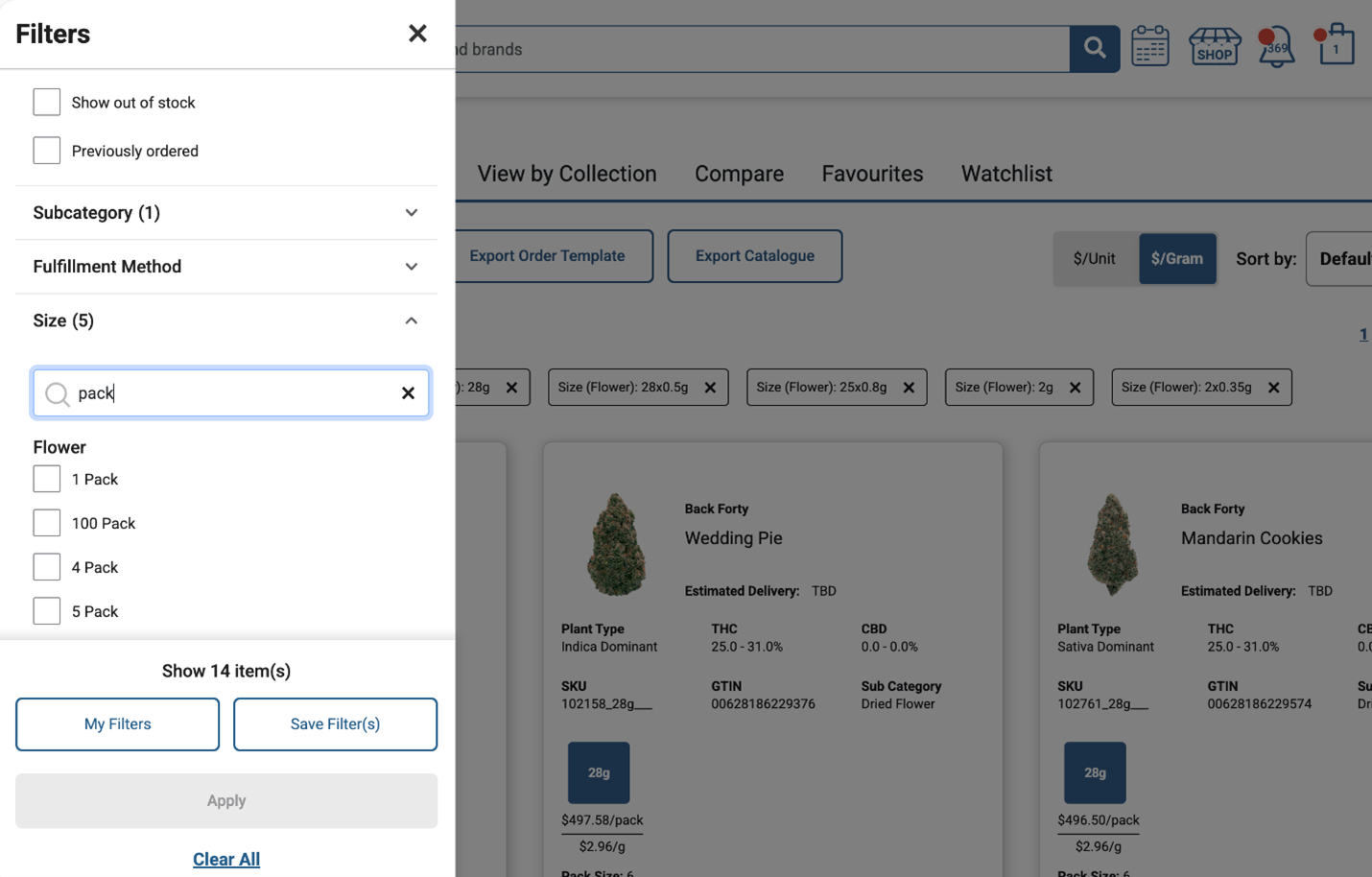
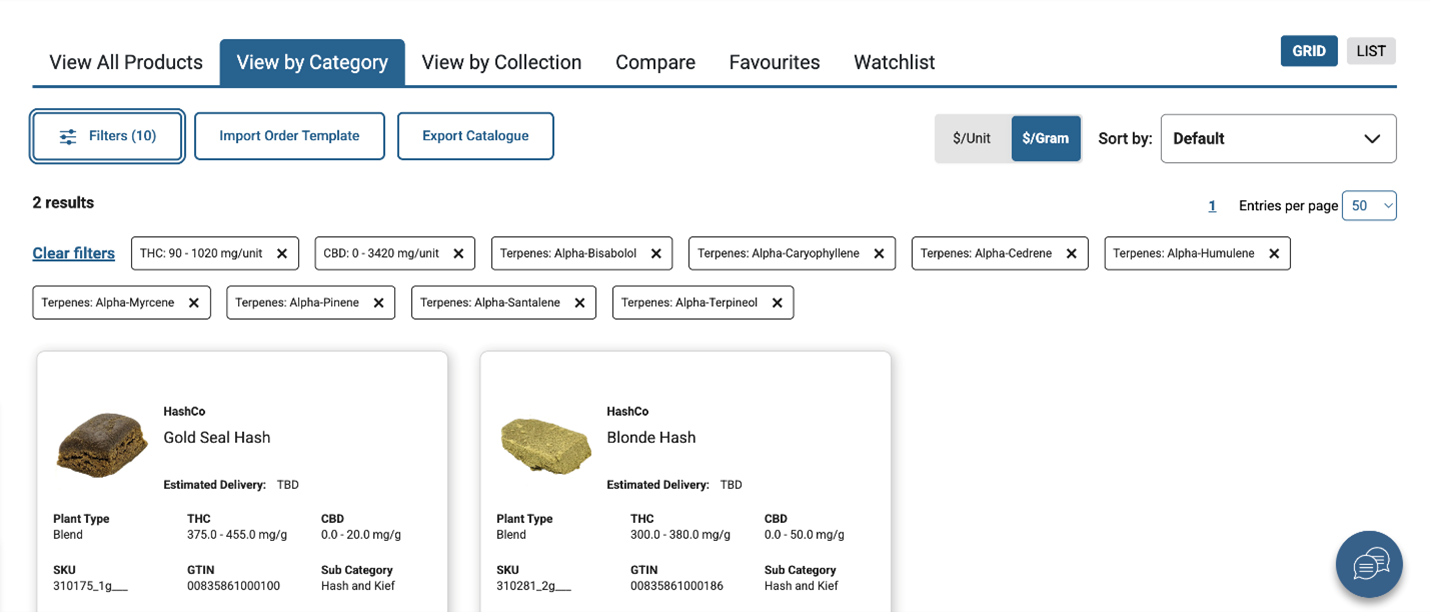
Applied Filters & Results
When selecting filters:
- The filter panel will show a count of expected product results.
- The panel will also show the number of filters applied within each category.
- Applied filters will appear on the page as individual filter tiles.
Note – Filter tiles can be removed individually or all cleared at once.

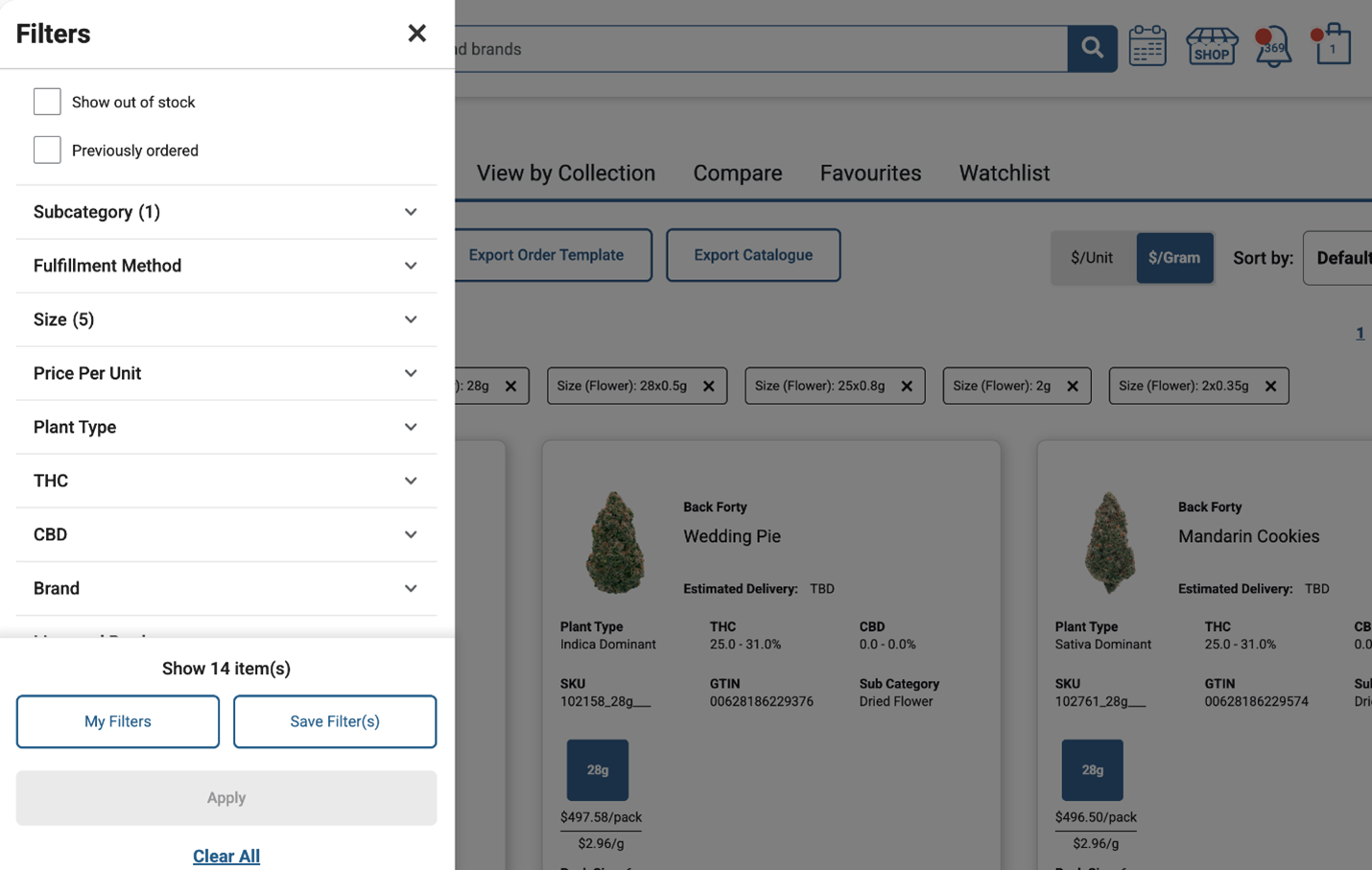
Mobile View
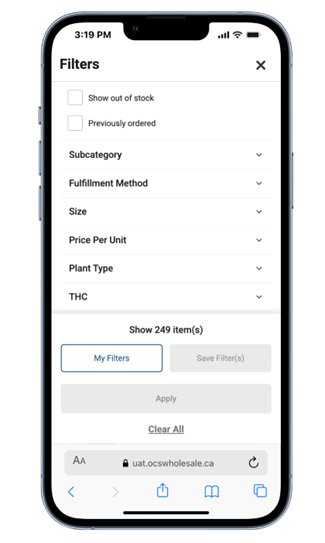
Automated Filter Clearing
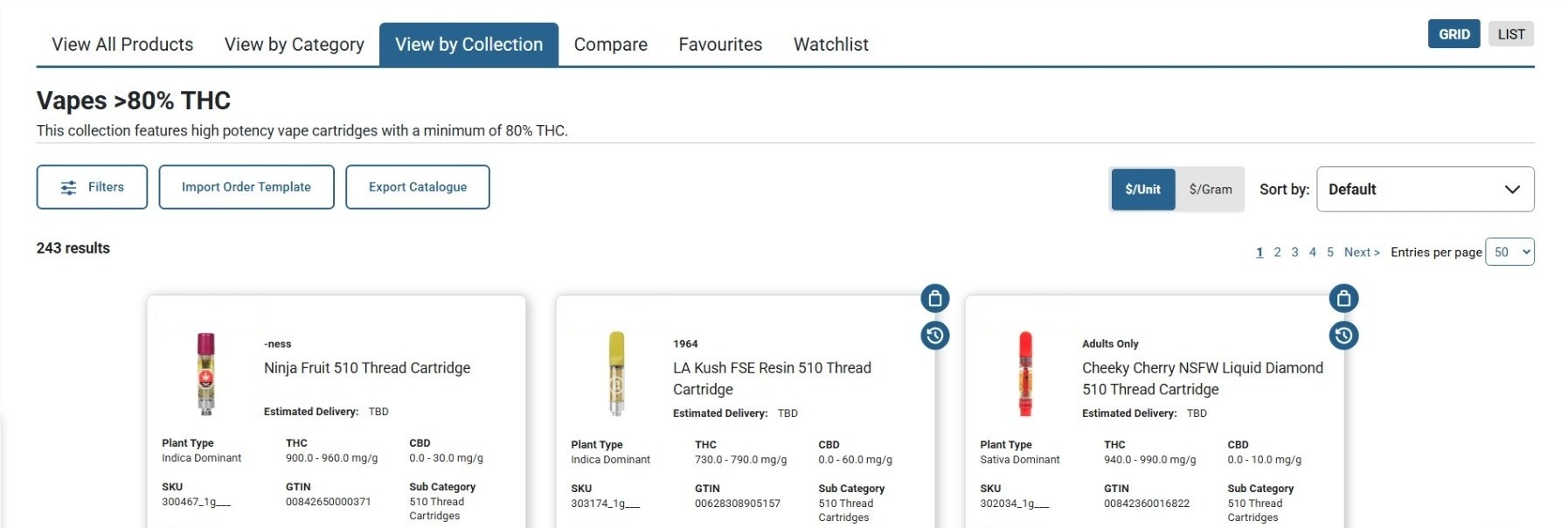
Filters will automatically clear when navigating to other areas of the portal, such as Collections pages. Search terms entered in the portal search bar will also clear when leaving the search results page.
Retailers will need to re-apply filters when moving between portal features.
Updated Size Filter Logic
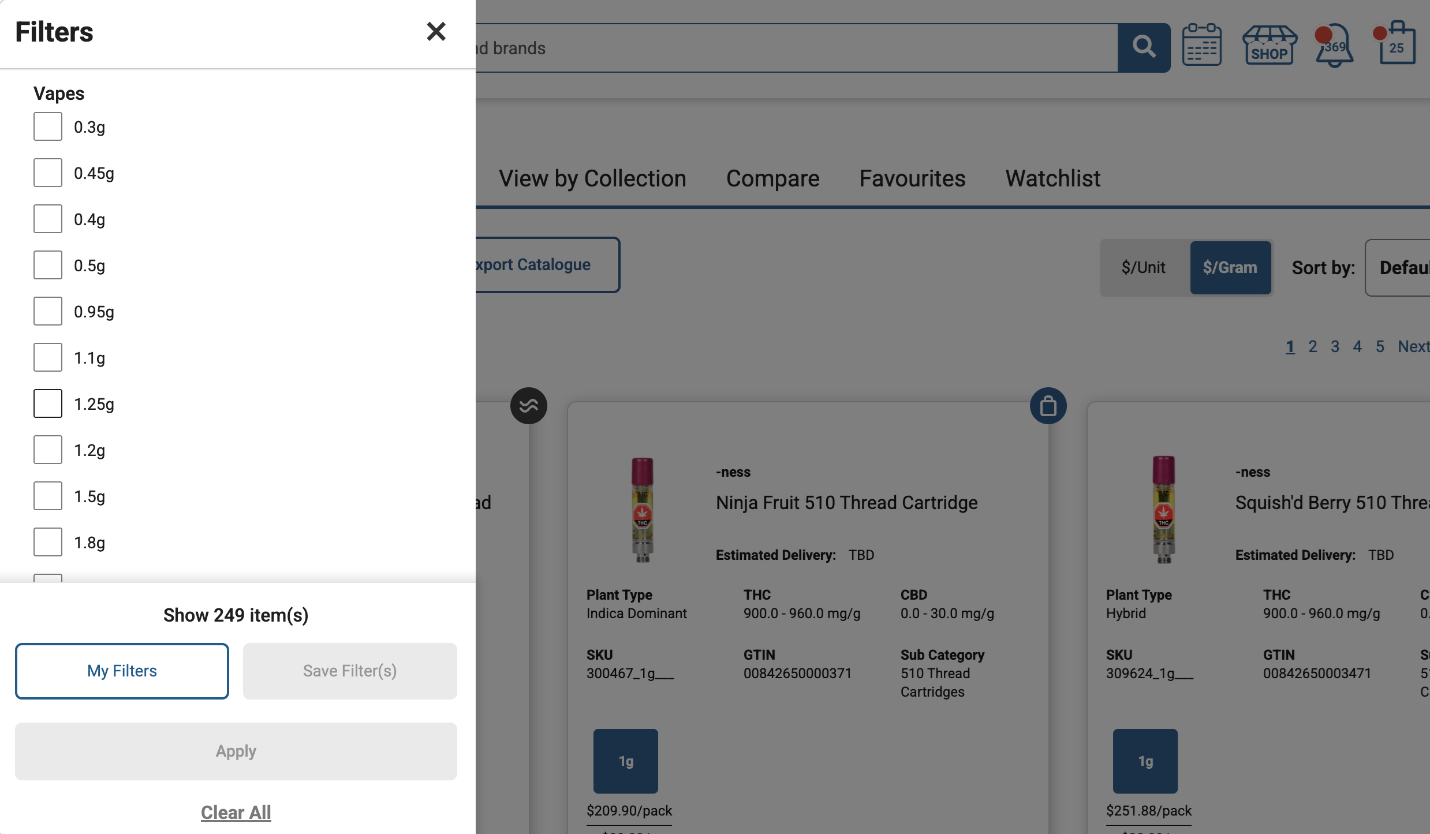
Product size filters will now be grouped within each product category.
For example:
- Selecting 1g under Dried Flower will return only 1g Dried Flower products.
- To view 1g products across multiple categories, size must be selected separately within each category.
A limited number of size options will display by default, with the ability to expand and view more.
Sort Updates
The sort feature has been enhanced with minor visual updates. Sorting behaviour will remain similar to today.
Mobile View
Product Listing Page Updates
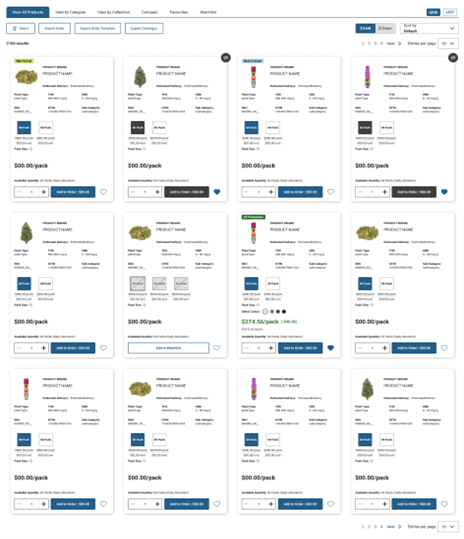
We have made several visual and layout improvements to Product Listing Pages . These updates are intended to enhance readability, improve product comparison, and support a more intuitive ordering experience. No functionality has been removed as part of this redesign.
Key updates include:
- Improved Layout and Product Information Display – Product information has been reorganized to provide a cleaner and more consistent viewing experience. Image sizes have been increased to improve visibility, and product tags have been updated to highlight key details.
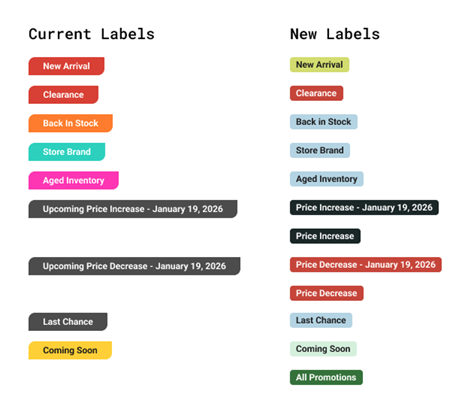
- Enhanced Price Change Tags – Price change indicators have been updated to display when an upcoming change is scheduled, as well as when a price has already changed during the current order cycle.
Price increases and decreases now appear in distinct colours to provide quick at‑a‑glance clarity. - Updated Quantity Selector – The quantity selector has been refined to make it easier to identify and adjust the quantity of products being added to your cart.
- White space and Future-Ready Design – Some white space may appear on certain product cards where product information does not apply. This design approach will provider oom for future enhancements without requiring a redesign.
- Craft and Ontario Grown Tags Relocated – The Craft and Ontario Grown indicators have been removed from Product Listing Page product cards and are now displayed on Product Description Pages.
These attributes can still be used as filters on Product Listing Pages. - Information Tags – A new, refined colour palette has been introduced for product tags. These updated tags are visually muted to avoid distracting from core ordering information, while still being easy to notice when needed.
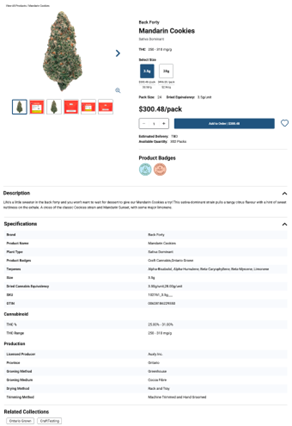
Product Description Page Updates
Several improvements have been made to the Product Description Page to support better product evaluation and navigation.
Key updates include:
- Updated Layout and Expanded Images – The Product Description Page layout has been refreshed to prioritize product images. Illustrations of THC and CBD have been deprioritized, allowing for larger product images and clearer thumbnail previews.
Users can now select thumbnails to quickly browse multiple images, rather than scrolling through a carousel. - Tags Added to Product Description Pages – The updated information tags introduced on Product Listing Pages will now also appear on Product Description Pages for consistent product detail presentation.
- Clearer Related Product Collections – Related product collections are now more prominent, making it easier to navigate to an entire collection directly from Product Description Pages.
- Long Description & Specification Enhancements – The long description and specification sections have been updated for improved readability. These updates also correct previous display issues found within Additional Product Details.
Need Support?
If you have questions or experience issues after launch, please contact our Customer Care team at 1-877-627-1627, text us at 647-361-1587, or click here for more ways to connect.
Disclaimer: This information is for Authorized Retailer use only, confidential, non-binding, non-exhaustive, and subject to change. All information is provided “as is”, with no guarantee of completeness, accuracy, timeliness. For the most up-to-date product information, please visit the OCS B2B Portal.